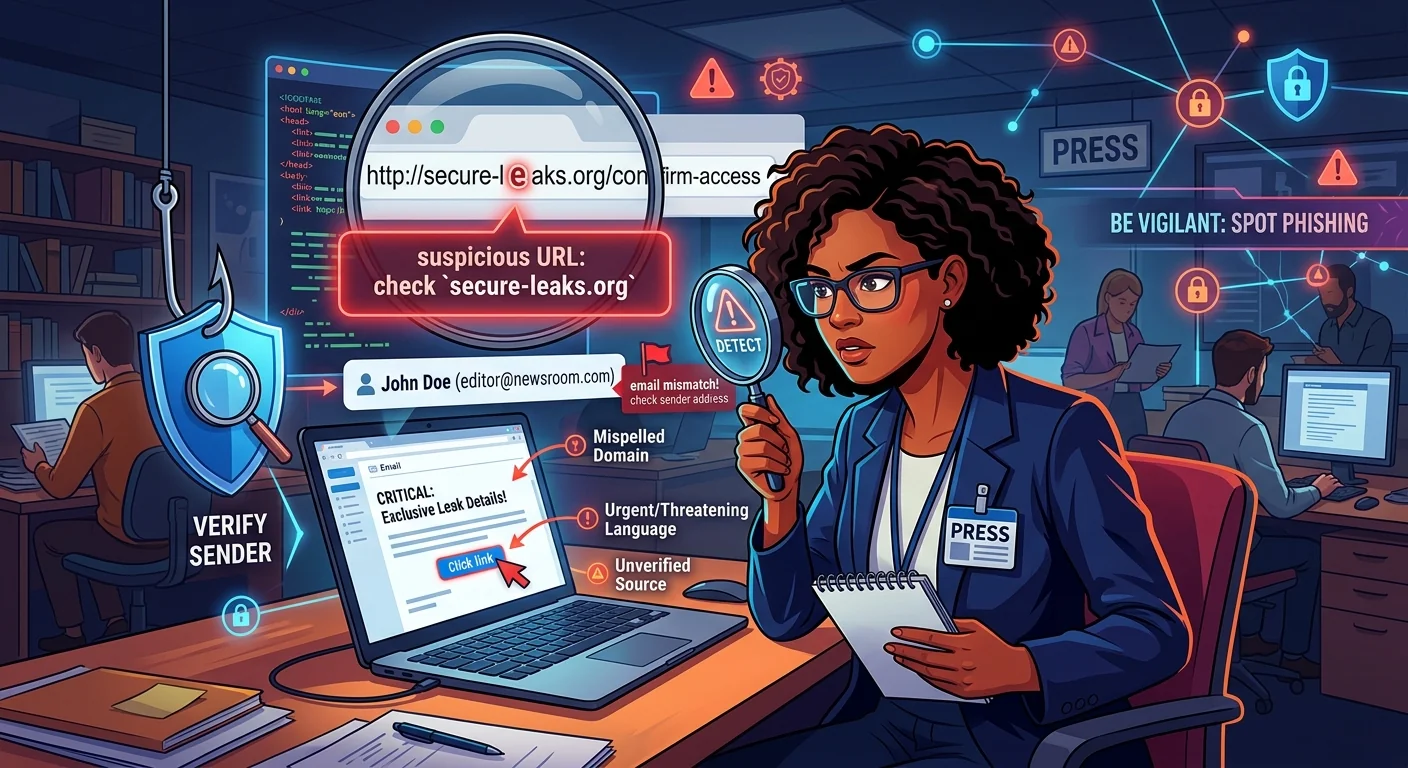
The message looks completely ordinary. A source wants to share a cache of leaked documents. A press credentials portal has sent a renewal reminder. A grant application link has arrived for your organization. The sender name checks out, the subject line is professional, and the URL in the body seems legitimate at a glance. Somewhere inside that link, someone has built a trap designed specifically for people like you.
Phishing attacks targeting journalists, activists, and NGO workers are not random. They are deliberate operations, sometimes funded by state intelligence services, designed to exploit context and familiarity. The link is the weapon of choice because clicking costs nothing and the attacker needs only one mistake. Building a personal habit around link verification, before anything else, is one of the most protective steps anyone doing sensitive work can take.
Targeted Attacks Are Not Random Events
Most people picture phishing as something that happens to ordinary users who click too fast on spam emails. For journalists covering conflict zones, activists opposing authoritarian governments, or NGO workers handling sensitive communications, the picture is very different.
State-sponsored hacking groups invest significant resources in crafting believable lures. They study their targets. They know which organizations the target works with, which funding bodies they apply to, and which communication platforms they use daily. The phishing link does not arrive looking suspicious. It arrives looking exactly like something the target was already expecting.
The Citizen Lab, a research group at the University of Toronto, has produced extensive attack research documenting sophisticated spear-phishing campaigns consistently used against journalists and civil society organizations worldwide. This is not a theoretical risk. It is an operational one.
How a Phishing URL Is Engineered to Pass Inspection
Phishing URLs are built to survive a casual visual scan. Attackers rely on the fact that most people do not read URLs carefully. They exploit predictable cognitive shortcuts: familiarity, context, and trust in a known sender.
Understanding the structure of a URL breaks that exploitation. Every URL has identifiable components, and each component can be manipulated in distinct ways.
The Domain Is the Only Part That Actually Identifies a Site
The domain is everything between the last two dots before the first forward slash. In mail.google.com/login, the domain is google.com. The subdomain is mail. The path is /login. This sounds simple. It is also where most phishing attacks succeed.
Attackers construct URLs where the domain looks correct at a glance but is not. Consider google.com.account-verify.net. The domain here is not google.com. It is account-verify.net. The google.com portion is a subdomain, and the attacker controls the entire thing.
Look-Alike Characters and Typosquatting
Beyond subdomain abuse, attackers register domains that visually mimic legitimate ones. They swap letters for similar-looking characters, including characters from non-Latin scripts that render identically on screen. They add hyphens, numbers, or extra words. They register misspellings of real domains. The goal is to get a glance of approval from a tired person reading on a phone.
URL Patterns That Should Make You Pause
Here is a side-by-side look at how legitimate URLs compare to their phishing counterparts across common attack scenarios:
Legitimate Addresses vs. Phishing Variants
| URL Element | Legitimate Example | Phishing Variant |
|---|---|---|
| Domain name | reuters.com | reuters-press-portal.org |
| Subdomain abuse | mail.google.com | google.com.sign-in-verify.ru |
| Top-level domain | bbc.co.uk | bbc.co.uk.secure-access.click |
| Character substitution | amnesty.org | amnestу.org (Cyrillic character) |
| URL shorteners | Direct, readable link | bit.ly/3xK9pQ2 (destination hidden) |
Red Flags That Should Stop You Before Clicking
Experienced opsec practitioners treat certain link characteristics as automatic stop signals. A single red flag is not always proof of an attack. It is always a reason to verify before proceeding.
- The URL contains an IP address instead of a domain name, such as
http://185.220.101.34/login - A shortened link hides the actual destination entirely
- The domain strings a brand name and a generic word together with hyphens, like
dropbox-secure-upload.com - The link arrived unsolicited, even from a known contact's address
- The URL uses an unusual top-level domain for the supposed sender, like a government body using
.xyzor.click - The message urges urgency, threatening account suspension or credential expiry within hours
- The link uses HTTP rather than HTTPS, especially on any page requesting credentials
A Step-by-Step Process for Verifying Any Suspicious Link
Developing a consistent habit matters more than any single technique. Not a paranoid ritual. A repeatable sequence you run before acting on any link that carries real stakes.
- Hover first, click never. On a desktop, hover over the link and read the URL that appears in your browser's status bar. On mobile, press and hold to reveal the destination. Compare what you see against what the message claims the link leads to.
- Isolate the real domain. Find the last two segments before the first forward slash. That is the actual domain. Ignore everything before those two segments when assessing trust.
- Search for the organization independently. Open a fresh browser tab and search for the organization the link claims to represent. Compare the official domain you find there against the one in the suspect link.
- Run the link through a scanner. Paste the URL into a phishing URL checker before opening it. These tools cross-reference links against threat intelligence databases, domain reputation scores, and known malicious infrastructure without requiring any installation on your device.
- Contact the sender through a separate channel. If the link came from a colleague, call them or message them through a completely different platform to confirm they sent it deliberately.
- When still uncertain, do not click. Ask a trusted technical contact or your organization's security team. A delayed response is always safer than a compromised device.
Why Link Scanners Belong in Every Journalist's Toolkit
A no-install link scanner is genuinely useful for people who operate across multiple devices, different networks, and sometimes borrowed computers. You do not need a technical background to use one. You paste the link. You read the result. You make an informed decision.
What these tools check goes well beyond a simple blocklist. Reputable scanners analyse domain registration age, whether the URL redirects through suspicious infrastructure, whether the page mimics a known brand, and whether the IP address hosting the content has a history of malicious activity. That kind of intelligence takes seconds to retrieve.
The value is not only in catching obvious attacks. Sophisticated campaigns often use freshly registered domains with clean histories for the first 24 to 48 hours specifically to avoid blocklists. A good scanner combines multiple data sources and checks for structural patterns that do not depend on prior incident reports. Using one consistently builds the habit of pausing before acting on any link, which is the real protection.
What Attackers Do Once You Land on Their Page
Understanding what happens after someone clicks reinforces why verification before clicking matters. The consequences are not limited to stolen passwords.
- Credential harvesting pages capture usernames and passwords instantly, often forwarding them to the attacker before the victim even realizes the page looked wrong
- Some pages use browser exploits to deliver malware without any interaction beyond the initial page load
- Session token theft allows attackers to hijack active accounts without ever needing a password
- Tracking pixels and fingerprinting scripts identify a device, browser, location, and network, providing reconnaissance even when no credentials are entered
- Convincing fake portals sometimes deliver real-looking documents after harvesting credentials, meaning the victim has no immediate reason to suspect an attack occurred
CISA, which publishes federal phishing guidance for organizations and individuals, consistently identifies phishing as the most common initial access vector across virtually every category of cyber incident. The attack is widespread precisely because it works, and it works because people under time pressure take shortcuts.
Making Verification Feel Automatic Rather Than Burdensome
The practical question is not whether to verify links. It is how to make verification feel like second nature rather than an extra step. A few shifts in daily habit achieve exactly that.
Start by defaulting to skepticism on any link that carries a request for credentials, access, or sensitive data. A legitimate organization will not be harmed by a brief delay while you verify. Treat urgency in a message as a manipulation signal rather than a genuine prompt to act faster. Urgency is a design choice made by the attacker, not a characteristic of the underlying situation.
Use a dedicated browser profile for high-risk link review. Keep a link scanner bookmarked and accessible on every device you work from. If you work within a team, establish a shared norm: no one clicks unknown links received through email or direct messages without checking first. That norm removes the social pressure to act fast and makes caution the group default rather than an individual choice.
The Habit That Holds When Everything Else Fails
Nobody working in sensitive environments gets to choose which links are genuinely dangerous. The attacker makes that choice for them. The people at highest risk are often those with the most demanding workloads, the fewest dedicated security resources, and the least time to pause before acting.
That is exactly why a lightweight, repeatable habit beats any elaborate security setup that requires effort to maintain. Hover before clicking. Identify the real domain. Run the link through a scanner when something feels off. Confirm with the sender through a separate channel when the stakes are high. These steps require no special knowledge and no additional software. They address the actual weak point in almost every successful phishing attack: a moment of trust extended without verification.
The work that journalists and activists do depends on their ability to communicate safely, source reliably, and operate without interception. A great deal of that protection starts at the link, before the click, in the habit of pausing long enough to look.